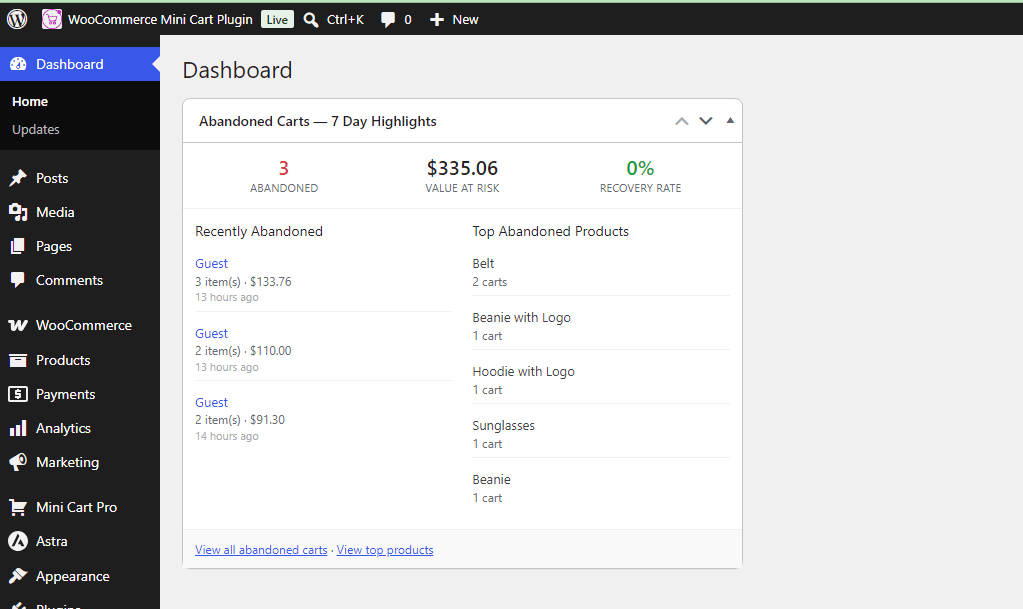
1. Analytics Dashboard Overview
-
KPI Metric Cards: Track total cart views, abandoned carts count, potential lost revenue, completed orders, recovered revenue via email, average cart value, and guest vs. logged-in user ratios.
-
Interactive Visual Charts: Analyze user behavior through visual charts:
-
Cart Activity Trends: Line chart showing activity over selected timeframes.
-
Category-wise Performance: Bar chart mapping abandoned vs. completed items per product category.
-
Device Share: Donut chart breaking down desktop vs. mobile/tablet activity.
-
-
Geo-Location Insights: View top cart locations mapped by country flags.
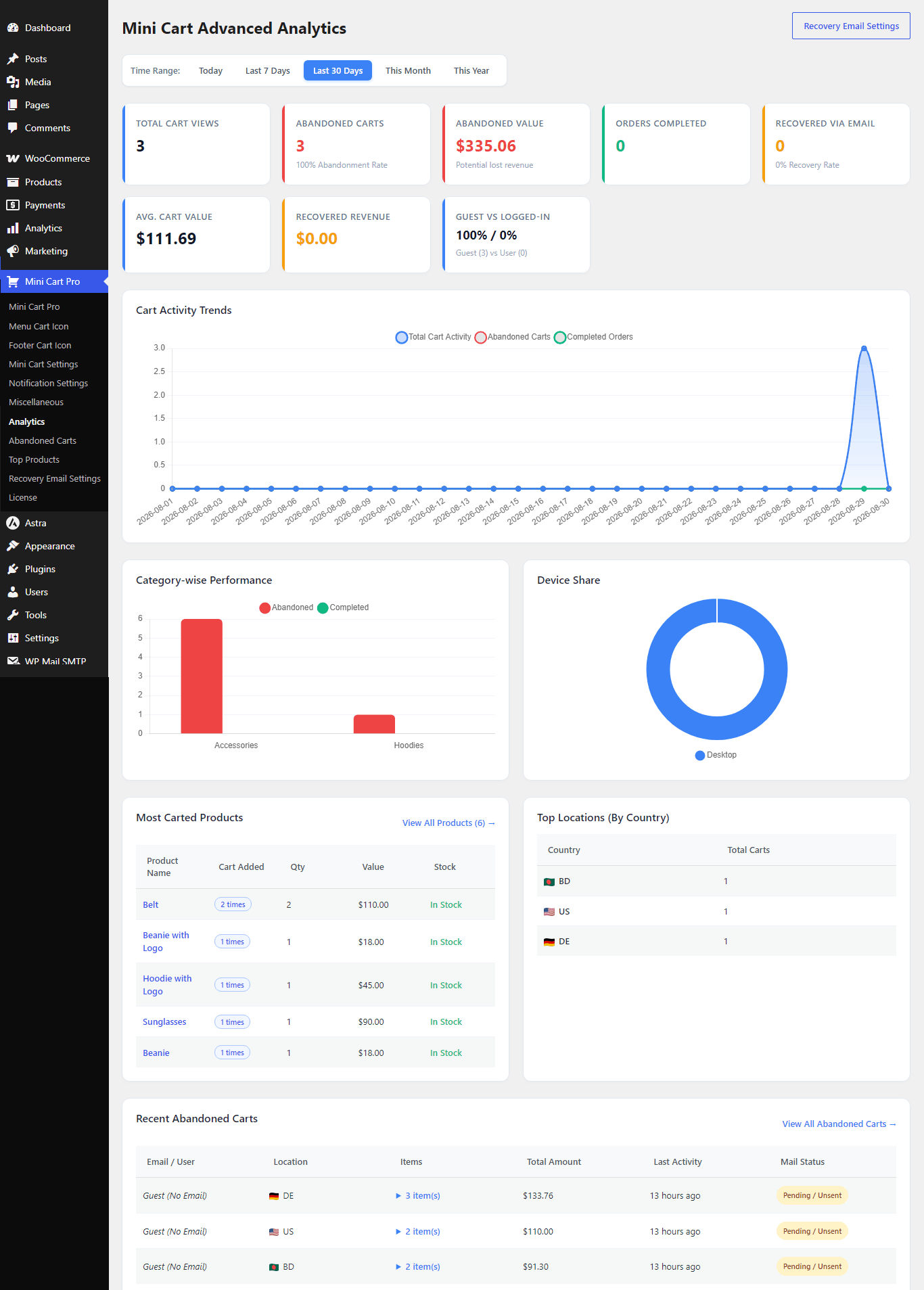
2. Abandoned Carts Table & Management
-
Status Filtering: Quickly segregate records using status tabs: All, Active, Abandoned, Recovered, and Completed.
-
Cart Details: Inspect user session details including IP location, device type, itemized cart contents, total value, and last activity time.
-
Data Export: Export current view data in CSV, JSON, or PDF formats for accounting or custom remarketing campaigns.
-
Manual Email Trigger: Send manual recovery emails directly from the table actions column.
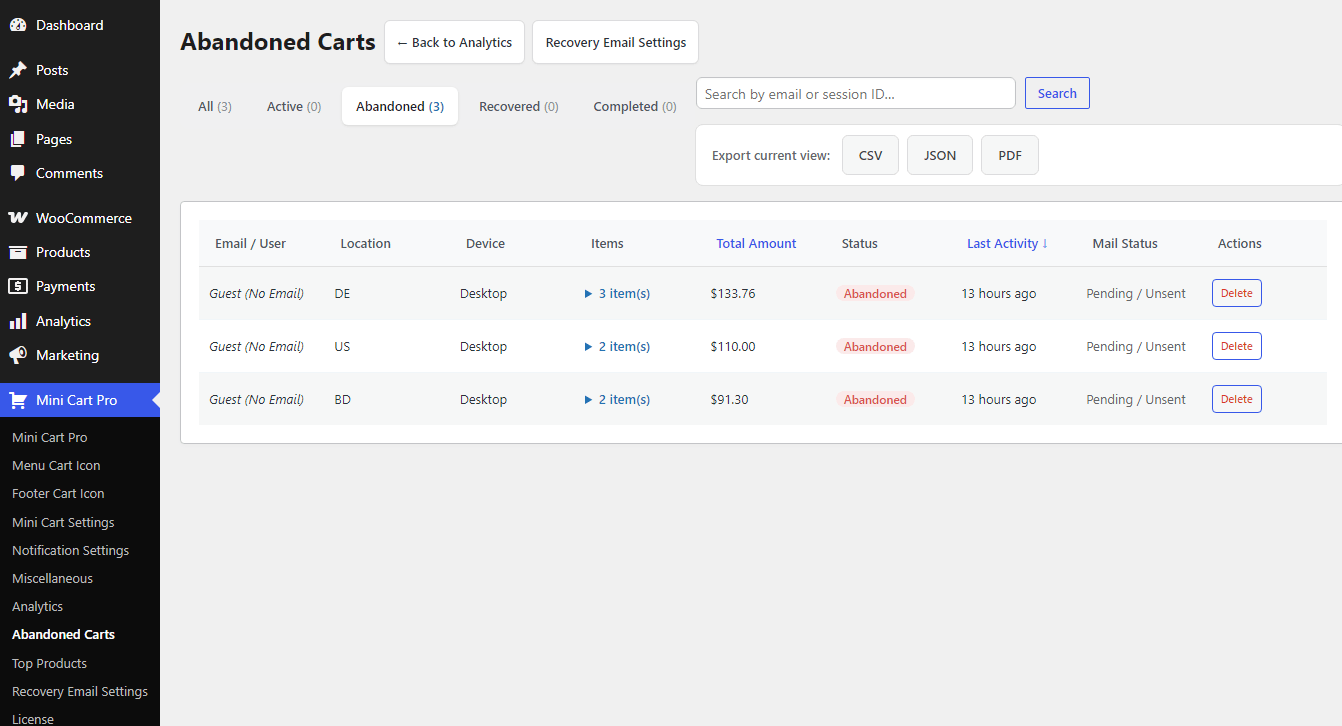
3. Top Products Analytics Page
-
Product-Specific Tracking: Identify products that are added to carts most frequently.
-
Filter & Search: Filter by time range (Today, Last 7 Days, Last 30 Days, This Month, This Year) or search specific product names.
-
Stock & Value Correlation: Monitor stock status alongside total potential value sitting in active/abandoned carts.
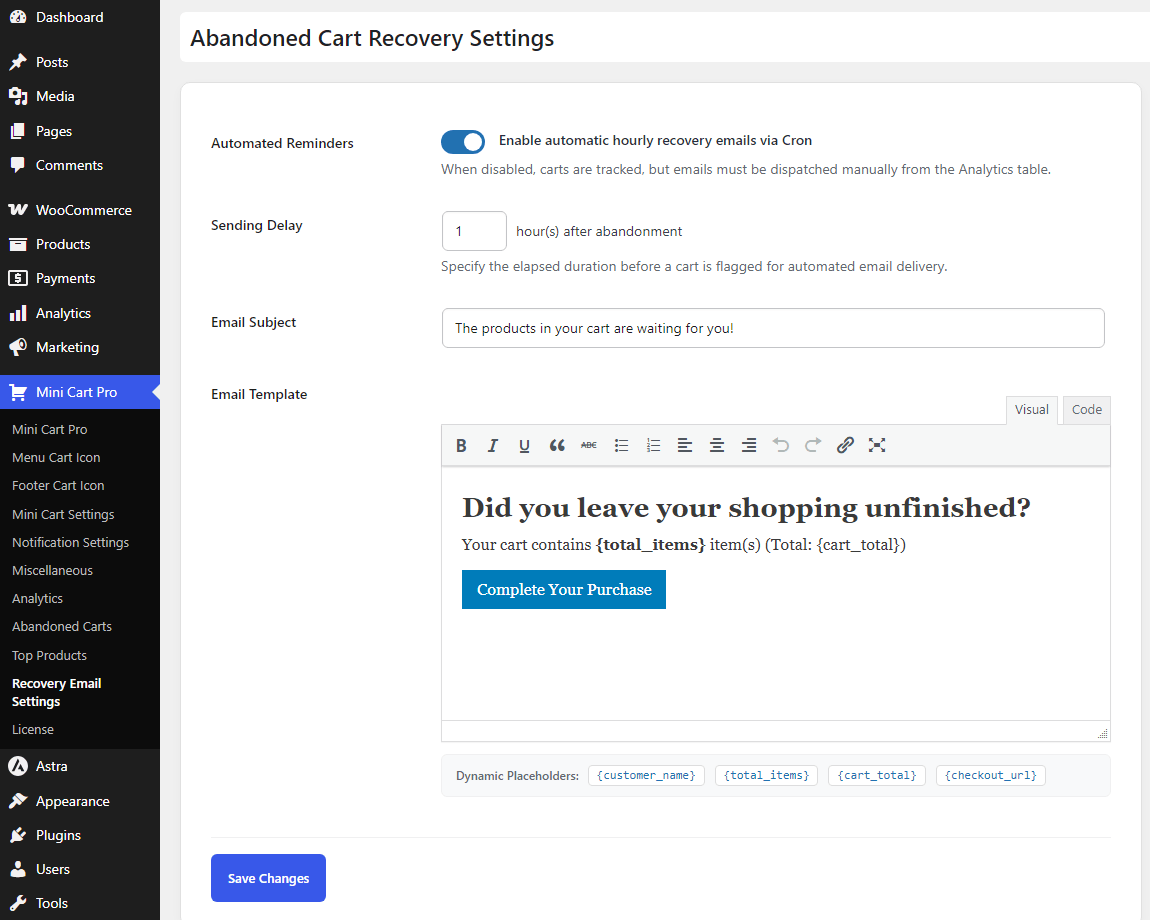
4. Recovery Email Automation Settings
-
Cron-Powered Automation: Toggle automated hourly email dispatch for abandoned carts.
-
Custom Delay Logic: Set exact waiting thresholds (in hours) before triggering recovery messages.
-
Rich Text Template Editor: Custom email composer with dynamic placeholders:
-
{customer_name}— Insert buyer’s name. -
{total_items}— Display number of items in cart. -
{cart_total}— Display total monetary value. -
{checkout_url}— One-click direct link to complete checkout.
-
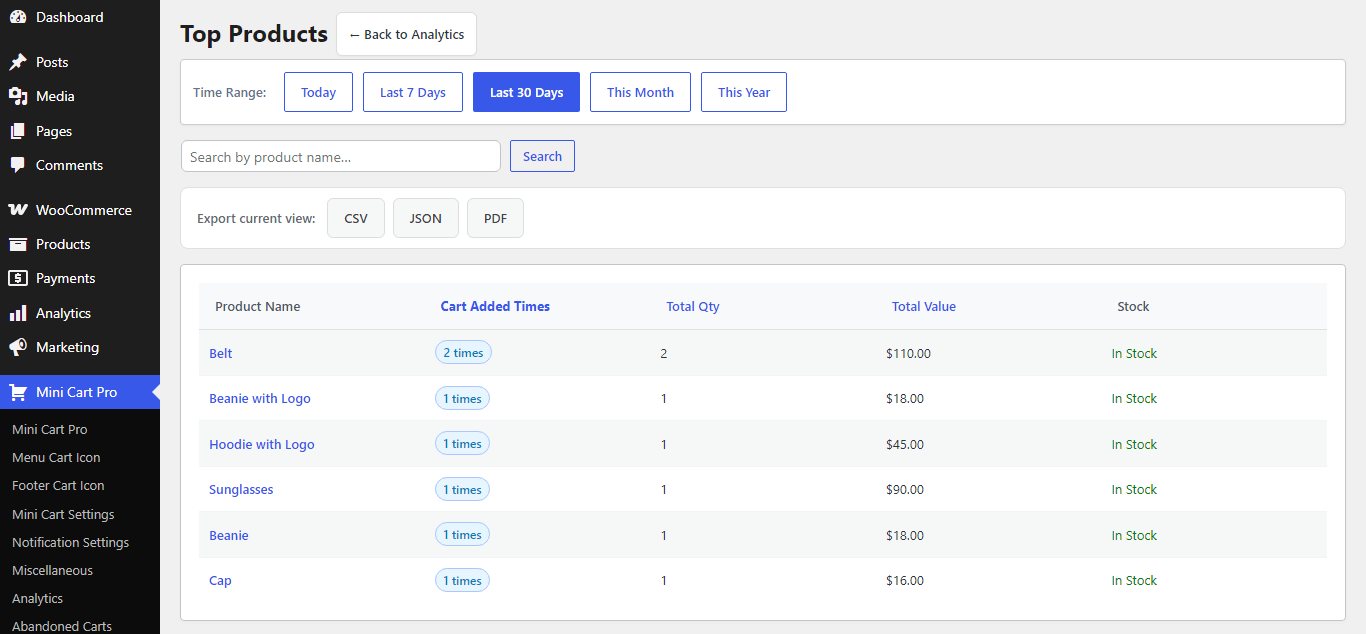
5. WordPress Dashboard Quick-Widget
-
At-a-Glance Summary: Access a 7-day highlight card directly on the main WordPress
Dashboardpage. -
Instant Metrics: Displays abandoned cart count, value at risk, recovery rate, and top abandoned items without opening full analytics.